
What I’m Doing
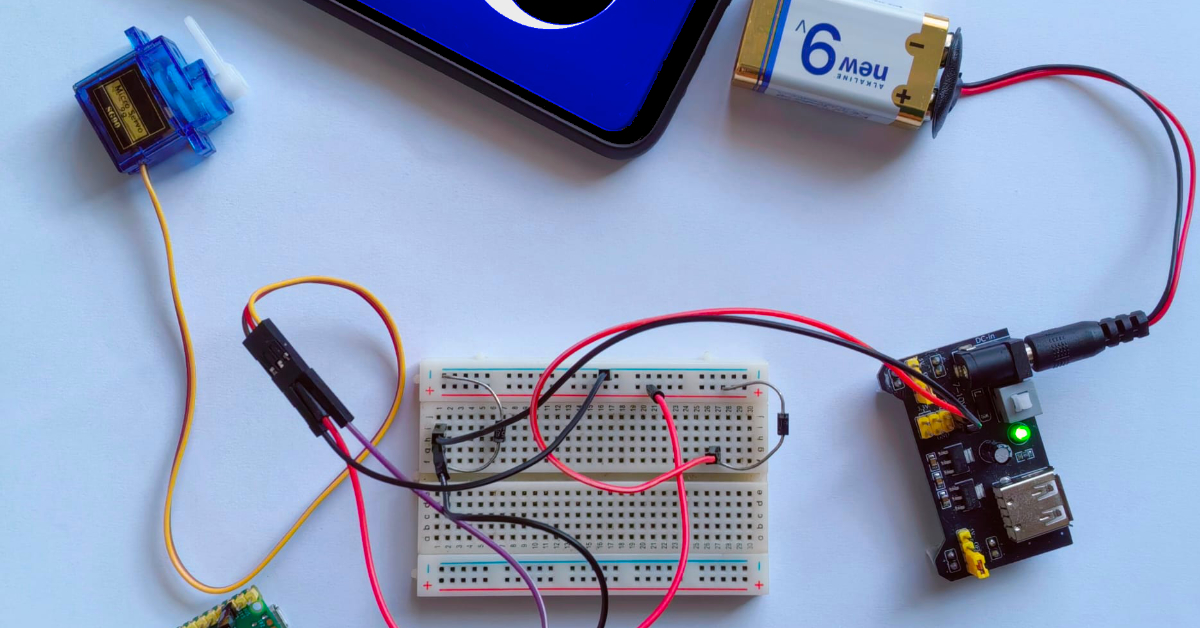
In my last post, I’ve built a small webapp on my phone, which draws a face to the screen, with eyes that track you using the phone’s front camera. For the next stage of the desktop robot project, I needed some way that the robot could turn itself to face the user. To achieve this, I’ll be using an SG90 servo that’ll turn the phone. The problem with using a phone to power the robot, as opposed to a more conventional Pi is that it lacks any GPIO. Instead, I’ll use a Pi Pico W to control the servo, and have the phone connect to it somehow.
Connecting the Phone to the Pico W
My first thought was to have the Pico W host a websocket endpoint, which the face browser page could send messages to, allowing the phone to connect to the Pico W over WiFi. I first wrote a python CLI script which would run on my laptop to connect to the Pico W’s webport, to make sure it worked. Once I got that working, I set the face webpage up to convert the detected face’s x position into an angle between 1-100, and send that to the Pico W’s webport. This worked on my laptop browser, but the main issue with this is that many modern browsers block connections to local IP addresses for security reasons. Even when the web page making the connections is also on the local network, both Chrome and Firefox on my phone blocked connecting to the Pico W.
My next thought was to use a serial connection. This would make the code on the Pico W’s side even simpler, as all I’d need would be an input() loop.
#Pseudocode
while True:
    newPosition = input()
    set_servo(angle=newPosition)
On the browser’s side, things would be more complicated, but with some MDN reading, and some example snippets from Gemini, I got a test page, where I could use my laptop’s browser to set the servo’s angle. Unfortunately, webserial support is really patchy on mobile browsers, and I wasn’t able to connect to the Pico W over serial on mobile. While the latest version of Chrome for Android does support it, even https://viper-ide.org/ wasn’t able to connect to the Pico W.
Last Attempt …
Finally, I decided to host the web page on the phone itself, and have a web serial route which would forward to the Pico W, using Flask running on Termux. Before I got to work writing the flask script, I thought to test which ports were available to termux, by running:
python3 -m http.server 8080I connected to localhost:8080 on my phone’s browser, and suddenly the servo jumped to life. It turned out that the restrictions on local network connections didn’t apply to localhost. So in the end I didn’t even need a custom flask script
The problem with using websockets is that it made the connection pretty temperamental. Seeing as the connection isn’t sending much data and is mostly one way, I changed the Pico W’s code to host a /set endpoint. The phone would just make GET requests to that endpoint, with an angle parameter in the url, for example:
GET /set?angle=40Then I tried to have the phone take the X position of the detected face, convert it to a number between 0-180 (because that’s the servo’s range), and make /set requests every 150ms. That didn’t work so great, because the face detection model struggles to detect faces near the edges of the screen, I’d take the x position of the face, convert it to a percentage, multiply that by two (so that the face doesn’t need to be on the outer edge of the screen for the servo to turn all the way), and cap it at 180.
if (!cooldown) {
    const valToSend = Math.max(Math.min(Math.round(percentX)*2,180),0).toString();
    fetch(picoURL + valToSend);

    cooldown = true;
    cooldownTimeout = setTimeout(() => { cooldown = false}, 150);
}
Success!
With all this, I got the servo to respond to my head movements in real time!
Next time, I’ll write up how I connected the servo and phone to some 3D printed parts, so that the phone can automatically turn to face me. As always, all the code is up on the github repo. Since this article, I’ve made quite a lot of progress with the project, stay tuned!